title: "How to Automate YouTube Shorts Creation in 2026: The Complete Guide" description: "Learn how to automatically convert your long-form YouTube videos into viral shorts using AI automation. Save hours of editing time and maximize your reach across TikTok, Instagram Reels, and YouTube Shorts." date: "2026-01-08" author: name: "Bas Lefeber" role: "Founder & CEO at Swasch" category: "AI & Automation" tags: ["YouTube Shorts", "AI Automation", "Video Marketing", "Content Repurposing", "Social Media"] image: "/demo/autoshorts-demo.mp4" imageAlt: "AutoShorts automation workflow showing video transformation" featured: true
If you're a YouTube creator in 2026, you already know the power of short-form content. YouTube Shorts, TikTok, and Instagram Reels are driving massive engagement — but creating them manually from your long-form videos is time-consuming and tedious.
What if you could automatically turn every long-form video into 4-6 perfectly edited shorts, complete with captions, in just minutes?
That's exactly what modern AI automation can do. In this guide, I'll show you how to set up an automated workflow that transforms your YouTube videos into viral shorts without lifting a finger.
Why Automate YouTube Shorts Creation?
Let's start with the numbers:
- •YouTube Shorts get 30 billion daily views (as of 2026)
- •Short-form content has 2.5x higher engagement than long-form
- •Creators who post shorts consistently see 40% faster channel growth
- •Manual editing takes 2-4 hours per video on average
The problem? Most creators don't have time to manually create shorts from every long-form video. That's where automation comes in.
The Benefits of Automation
✅ Save 10+ hours per week on video editing
✅ Maximize content ROI by repurposing existing videos
✅ Consistent posting schedule across all platforms
✅ AI-powered highlight detection finds the best moments
✅ Auto-generated captions for better accessibility and engagement
How YouTube Shorts Automation Works
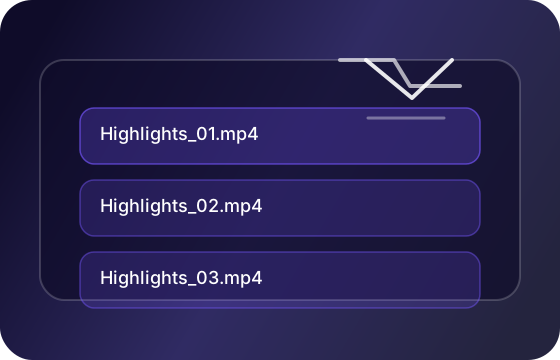
Modern automation tools use AI to analyze your long-form videos and automatically:
- •Detect viral moments using speech recognition and engagement patterns
- •Extract 30-90 second clips optimized for short-form platforms
- •Add dynamic captions with customizable styling
- •Format for vertical video (9:16 aspect ratio)
- •Export ready-to-post files with thumbnails
Here's the typical workflow:
Upload Video → AI Analysis → Highlight Detection →
Caption Generation → Clip Extraction → Delivery
The entire process takes 10-15 minutes compared to hours of manual work.
Step-by-Step: Setting Up Your Automation
Step 1: Choose Your Automation Platform
There are several tools available in 2026:
- •AutoShorts by Swasch — Full automation with Dropbox delivery (our solution)
- •OpusClip — AI-powered clip creation with manual review
- •Klap.app — Automated shorts with basic editing
- •Descript — More manual but powerful editing features
For this guide, I'll focus on fully automated solutions like AutoShorts.
Step 2: Connect Your YouTube Channel
Most automation tools integrate directly with YouTube via webhook or API:
- •Authorize the app to access your channel
- •Set up automatic detection for new uploads
- •Configure your preferences (clip length, caption style, etc.)
Pro Tip: Use YouTube's webhook feature to trigger automation the moment you publish a video.
Step 3: Configure Your Settings
Key settings to optimize:
- •Clip Length: 30-60 seconds for TikTok/Reels, 60-90 for YouTube Shorts
- •Caption Style: Bold, centered text works best for mobile viewing
- •Highlight Criteria: Set AI to detect high-energy moments, questions, or key points
- •Output Format: 1080x1920 (9:16 vertical) for maximum quality
Step 4: Review and Post
Depending on your tool, you'll either:
- •Fully automated: Clips are automatically posted to your channels
- •Semi-automated: Receive clips via Dropbox/email for manual review before posting
I recommend the semi-automated approach for quality control, especially when starting out.
Best Practices for Automated Shorts
1. Optimize Your Long-Form Content
To get the best automated shorts, structure your long-form videos with:
- •Clear hooks in the first 10 seconds
- •Quotable moments that stand alone
- •Visual variety (not just talking head)
- •High-energy segments throughout
2. Customize Your Captions
Auto-generated captions are great, but customization makes them better:
- •Use bold fonts for readability on mobile
- •Add emoji highlights for key words
- •Keep text centered and large
- •Use contrasting colors (white text on dark background)
3. Test Different Clip Lengths
Different platforms favor different lengths:
- •TikTok: 15-30 seconds (shorter = better)
- •Instagram Reels: 30-60 seconds
- •YouTube Shorts: 45-90 seconds (can be longer)
Run A/B tests to see what performs best for your audience.
4. Maintain Consistency
Post shorts on a consistent schedule:
- •Daily posting shows the best results
- •Batch create and schedule in advance
- •Mix automated shorts with original content
Common Mistakes to Avoid
❌ Posting without review — Always check for context and quality
❌ Ignoring platform-specific optimization — Each platform has different algorithms
❌ Over-relying on automation — Mix in original shorts for variety
❌ Poor caption timing — Ensure captions sync perfectly with speech
❌ Neglecting thumbnails — First frame matters for click-through rate
ROI: Is Automation Worth It?
Let's do the math:
Manual Approach:
- •2 hours per video × 4 videos/month = 8 hours/month
- •At $50/hour = $400/month in time cost
Automated Approach:
- •$99-299/month for automation tool
- •30 minutes review time per video × 4 = 2 hours/month
- •At $50/hour = $100/month in time cost
Total Savings: $200-300/month + 6 hours of your time
Plus, you'll post more consistently, leading to faster channel growth.
The Future of Content Repurposing
AI automation for video content is only getting better. In 2026, we're seeing:
- •Better highlight detection using viewer engagement data
- •Voice cloning for adding intros/outros
- •Auto-translation for multilingual shorts
- •Trend analysis to optimize posting times
The creators who adopt automation early will have a significant advantage.
Getting Started with AutoShorts
At Swasch, we built AutoShorts specifically for YouTube creators who want fully automated short-form content creation.
Here's what you get:
✅ Automatic detection when you upload a video
✅ AI extracts 4-6 viral moments
✅ Professional captions and formatting
✅ Delivered via Dropbox with Google Sheet of captions
✅ Ready to post in minutes
Pricing: Starting at $99/month for unlimited videos
Try AutoShorts Free for 14 Days →
Final Thoughts
YouTube Shorts automation isn't about replacing creativity — it's about amplifying your reach without burning out.
By automating the tedious parts of short-form content creation, you free up time to focus on what matters: creating great long-form content and engaging with your audience.
The question isn't whether to automate, but when to start.
Want to see AutoShorts in action? Book a free demo and we'll show you how it works with your actual content.
Questions about automation? Drop a comment below or reach out to our team at hello@swasch-agency.com.
Enjoyed this article?
Get more insights like this delivered to your inbox. Join 1,000+ marketers growing their skills.
Bas Lefeber
Founder & CEO at Swasch
Expert in AI automation, video marketing, and digital growth strategies. Helping brands scale through innovative content solutions.